May 20, 2026 · 6 min read
What Nobody Tells You About SOC 2 Before You Start
Five things that catch startups off guard when preparing for SOC 2 Type II — from a cybersecurity consultant who has seen both sides of the audit process.
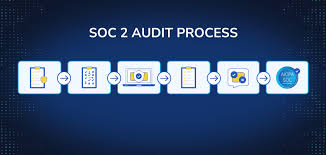
I work in cybersecurity and spend a lot of time inside AWS environments. Over the last year I started talking to founders going through SOC 2 to understand where the process breaks down for small teams. The same five things come up every time.
You cannot backfill evidence
This is the one that hurts the most. SOC 2 Type II requires continuous evidence collected over a period of time — typically 6 to 12 months. You cannot screenshot your AWS console the week before the audit and call it evidence. You cannot retroactively export CloudTrail logs and claim they were monitored continuously.
The clock starts the day you start collecting. Most founders assume they can start when the audit is coming up. By then it is already too late.
Start collecting evidence the day you decide to pursue SOC 2. Every day without it is a day you will have to explain to your auditor.
The manual tasks are unavoidable regardless of which tool you use
Every compliance platform — Vanta, Drata, TrailProof, all of them — will flag 30 to 40 manual tasks. Access reviews, vendor assessments, policy attestations, security awareness training records.
No tool automates these because they require human judgment and documented processes. A founder hoping that a compliance tool means they do not have to do the manual work will be disappointed.
The realistic breakdown: automated tools handle the technical evidence collection (AWS configuration, GitHub settings, Okta policies). You personally handle the process and people controls on a quarterly basis. Budget two to four hours every quarter for the manual side.
Your auditor wants a narrative, not just pass and fail
Most compliance tools give you a dashboard showing which controls pass and which fail. That is not what an auditor reads. Auditors want someone to explain what the findings mean, why the failures happened, what the risk is, and what was done to remediate.
Preparing that narrative manually takes days. Most teams find this out when they are already in the audit window, scrambling to write explanations for 60 controls in a week.
The narrative is where the audit is actually won or lost. Start thinking about it early, not the week before.
Enterprise deals do not wait for your SOC 2 report
SOC 2 Type II takes 9 to 14 months from when you start collecting evidence to when the report is ready. Enterprise procurement teams ask for it now, before they sign.
Founders are losing deals in that gap. The security questionnaire arrives, the founder says "we are working on it," and procurement says come back when you have it.
The answer is to be able to show evidence of your current security posture — what controls you have in place, what you are monitoring, what your score looks like — before the report is ready. That is what a Trust Center is for. It is not a replacement for the audit, but it handles the gap.
Policy documents take much longer than expected
Every startup pursuing SOC 2 needs the same eight security policies: information security, access control, incident response, change management, risk management, vendor management, business continuity, and data classification.
Most founding teams write them from scratch or hire a consultant at $300 per hour. Either way it takes weeks, the output still needs review, and it needs updating every year.
The faster approach is to generate them with AI tailored to your company, review and edit them for accuracy, then have your legal or compliance lead sign off. That turns weeks into hours.
If you are starting SOC 2 preparation and want to see exactly where you stand, I built a free interactive checklist covering all 65 controls. It shows which ones need continuous automated evidence and which are one-time tasks. No signup required.
Ready to check your SOC 2 readiness?
Free interactive checklist — 65 controls, saves progress, no signup required.
Open the free checklist →